

Gingivitis
Gingivitis, the earliest stage of gum disease, leads to red, swollen gums that may bleed. It is reversible with proper care.
Read more
Exchanging patient information by unsecured email—with specialists, physicians, or patients, for example– risks violating a patient's right to privacy. and doesn't meet the many data privacy requirements outlined by dental regulators and in privacy legislation.
CDA Secure Send meets the legal obligation to safeguard the confidentiality of patient data. It’s as easy as sending an email, but compliant and secure!
To send a file, sign in to the CDA Practice Support Services website at services.cda-adc.ca. From there, choose the "CDA Secure Send" tab.
Choose a recipient from the drop-down menu or click on "Find a Dentist." Once you've chosen the recipient, you can add a note and choose the file you wish to send. Click "Send" and the recipient will get a notification that a file has been shared with them. If the person you are sending to is not listed on the "Find a Dentist" list, manually type in the destination email.
Dentist Login > click MY ACCOUNT > click MY OFFICES > select the office number > Select “Office owners and admins can use my Secure Send credentials here.”
An office staff that doesn’t have permission to use Secure Send by a dentist won’t see the “CDA Secure Send” tab when signed in.
Dentist or Admin > click CDA SECURE SEND > click SEND A MESSAGE > Click on "Find A Recipient" > Click on "Add a recipient" > Add Name, Email, Confirm Email > Click "Use Non-validated email address"
The sender must input an email address. The recipient in this case will receive an email with a link to securely download the files and message report rather than redirecting them to the PSS website. To send messages, users must create their PSS account, validate an email address and subscribe to the service.
Dentist or Admin > click CDA SECURE SEND > click SEND A MESSAGE > Click on "Find A Recipient" br>
On the find recipient search screen, only dentists with validated email addresses will be returned. In this case, the recipient will receive an email with a link to log into the PSS website and retrieve the message.
All components of CDA Secure Send are housed in Canadian data centres and have the following certifications:
PCI DSS
ISAE 3402 Type II
SSAE 16 SOC 1 Type II
CSAE 3416 Type II
The app works just like the desktop version of CDA Secure Send.
Log in to the CDA Secure Send mobile app using your CDA Secure Send login credentials. If you have a biometric login set up on your device, you can use your fingerprint or Face ID to log in to the app.
Once logged in, you will see your CDA Secure Send inbox where you can view all of your received messages.
On the top left corner of the screen, you will see an Envelope and Pen icon  . Tap the icon to view your navigation drawer which includes your dashboard, inbox, sent items, message search function, profile and settings.
To send a new message, click the red circle with the plus sign (+). This will open a new message screen.
To select a recipient, click the recipient field of the new message and use the search function to search the name, phone number and city/province of the office you’re sending the message to. Once you’ve found your recipient, click the green circle beside their name to add them as a recipient for your message.
You’ll then be directed back to your new message email and will be able to fill out a subject line and body of the message with any details you’d like to include in your message.
If you want to send an attachment, click on the Attachments icon  at the bottom of the message. From there, you will be prompted to select a photo from your camera roll to add to the message or to use your phone’s camera to take a photo to attach to the message.
You can send the message by clicking the “send” button on the bottom right corner of the screen.
Watch our video tutorial to learn how to use the CDA Secure Send mobile app.
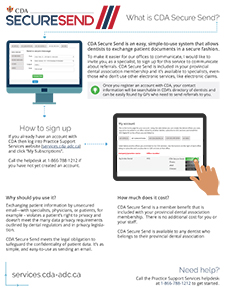
Download the "What is CDA Secure Send" handout.

Explore more essential topics to deepen your understanding of oral health and take proactive steps toward maintaining a healthy smile.
Find answers to some of the most common questions about oral health, dental treatments, and more.
How often you go for dental exams depends on your oral health needs. The goal is to catch small problems early. For many people, this means a dental exam every six months. Your dentist may suggest that you visit more or less often depending on how well you care for your teeth and gums, problems you have that need to be checked or treated, how fast tartar builds up on your teeth, and so on.
Ask yourself the following questions:
The answers to these questions are all factors that affect your oral health. They will help you and your dentist decide how often you need to visit for dental exams. It's worth noting that you should not determine your need for dental care on what your dental plan covers.
Do I need x-rays at each visit?
How often you need to have x-rays also depends on your oral health. A healthy adult who has not had cavities or other problems for a couple of years probably won't need x-rays at every appointment. If your dental situation is less stable and your dentist is monitoring your progress, you may require more frequent x-rays.
If you are not sure why a particular x-ray is being taken, ask your dentist. Remember that dental x-rays deliver very little radiation; they are a vital tool for your dentist to ensure that small problems don't develop into bigger ones.
Related Resources
The first step in choosing a new dentist is to list your needs, which might include:
Yellow Pages advertising may also prove helpful. It will list each dentist's location, and may include other details that will help you in your search.
Once you have narrowed your list to two or three names, call the dentists to see if they are accepting new patients. This initial call may also give you some sense of the office environment, but there's nothing like the first visit to help you decide if it's a good match for you.
How can I get my records transferred?
Original dental records belong to the dentist who provided the treatment, and not the patient, because dentists have to keep all of their records for a period of time, as set out by their provincial dental regulatory body. Once you have selected a new dentist, you can request that a copy of your records be transferred from your former dentist.
You may be required to sign a release form from your former dental office and you may also be charged an administrative fee for having your records copied and sent to another dental office. If you have questions about the records transfer process in your province, ask your dentist or contact the provincial dental regulatory body.
Other Resources
Provincial Regulatory Authorities and Provincial Associations
Your health is very important to your dentist. One of the ways that your dentist helps you stay healthy is by preventing the spread of germs. One of the best ways to do this is to use barrier protection such as gloves and masks.
Your dentist and other dental team members also wash their hands regularly. In addition, they sterilize equipment used in the dental office and clean the furniture and fixtures in the examining rooms. This system is referred to as "standard precautions." It means that every patient is treated in the same way because patients don't always know if they're sick. It's always better to be safe than sorry.
If you would like to know how this system is carried out in your dentist's office, ask to be shown how it's done. Dentists welcome the opportunity to ease their patients' concerns, rather than have them leave the office with unanswered questions. Once you see the work that goes into making the dental office a clean and safe environment, you will feel reassured.
It is worth noting that even though standard precautions are used, it is still important to tell your dentist of changes in your health. This will help your dentist suggest the right choices of treatment for you.
It's important to get an early start on dental care, so that your child will learn that visiting the dentist is a regular part of health care. The first step is to choose a dentist for your child.
It may be your own dentist or one who specializes in treating children (called a pediatric dentist). Once you have selected a dentist, call the office to find out at what age he or she prefers to see child patients for the first time. CDA encourages the assessment of infants, by a dentist, within 6 months of the eruption of the first tooth or by one year of age.
It's important to make the first visit a positive experience for your child - one reason why it's best to visit before a problem develops. If you think there is a problem, however, take your child to the dentist right away, no matter what age.
If you are a nervous dental patient, ask your spouse or another family member to take the child for the appointment. If your child senses that you are nervous, he or she may feel nervous too. When you talk to your child about going to the dentist, explain what will happen without adding things like "it won't hurt" or "don't be scared."
Be sure to get an early start on regular dental care at home. Start cleaning your child's mouth with a soft damp cloth before teeth come in and continue with a soft toothbrush once he or she has a first tooth. Limit the number of sugary treats you give your child, and focus on healthy food choices from the very beginning.
Other Resources
Dental plans, offered by many employers, are a means to help you pay for your dental treatment. Most Canadians enjoy dental plans and the insurance companies that provide them are actually benefit carriers. Carriers reimburse patients based on the level of coverage decided by the patient's employer.
When you visit the dentist, it's the dentist's role to make a treatment plan based on your oral health needs. Your needs may be different from what is covered by your dental plan. It is your right to decide whether or not to go ahead with any treatment.
You should not decide based on what your plan covers. If you agree to have the treatment, it's your responsibility to pay for it. It is the responsibility of the benefits carrier's to reimburse you for the amount covered by your dental plan.
Many dentists are willing to contact a patient's benefits carrier, on a patient's behalf, to find out if a treatment is covered. The patient has to pay the portion that's not covered and the dentist may offer a payment plan to help.
I don't have dental insurance and can't afford to go to the dentist. What can I do and why does dentistry cost so much anyway?
If you do not have a dental plan and cannot afford to pay your entire bill at once, ask your dentist about a payment plan. If you cannot afford care, even with a payment plan, contact the nearest:
Dental services may seem expensive. In Canada, we don't have to pay directly when we visit a doctor or hospital, so we may not realize the high cost of providing health services. Overhead costs are high for dentists. They have staff, equipment and other operating costs.
The good news is that you can avoid costly dental treatment by brushing, flossing and visiting your dentist regularly for a dental exams. Regular dental exams cost money, but they are less expensive than fixing serious dental problems that stem from neglect.
Other Resources
Dentists have been doing what's called "non-vital" bleaching for many years. Non-vital bleaching is done on a damaged, darkened tooth that has had root canal treatment. "Vital" bleaching is done on healthy teeth and has become more popular in recent years.
Vital bleaching, also called whitening, may be carried out in the dental office or the dentist may instruct the patient on how to do the bleaching at home. There is also a wide variety of products for sale in stores. Not all products are the same and not all give you the same results.
Different products, including those used by dentists, may also have different risks and side effects.
Here is an overview:
Whitening toothpastes with abrasive ingredients are really not bleaching products at all, but work on surface stain only. These products are sold in many stores.
Some whitening toothpastes do contain a chemical ingredient (or "bleach") that causes a chemical reaction to lighten teeth. Generally, they have the lowest amount of "bleach." They may not whiten as well as stronger products, but they have less chance of side effects. These pastes are brushed onto teeth and rinsed off, like regular toothpaste.
Bleaching kits sold in stores stay on your teeth longer than toothpaste and contain stronger "bleach". These store-bought products do not come with the added safety of having your dentist monitor any side effects. They also come with a one-size-fits-all tray that holds the "bleach" and is more likely to leak the chemical into your mouth.
Dentists may use products with stronger "bleach", but they give patients careful instructions to follow. They are also trained to spot and treat the side effects that patients sometimes report during bleaching. In addition, if a tray is needed to apply the "bleach", dentists supply custom-made trays. Because products used by dentists are strong, they tend to produce the best results.
Patients should be aware that the long-term use of whitening or bleaching products may cause tooth sensitivity or tooth abrasion. Please consult with your dentist before using a whitening or bleaching product.
Ask questions. It sounds simple enough, but sometimes we feel embarrassed to ask simple questions. There is no need to feel that way.
You will feel much better, and be able to make a better decision, if you understand the dental procedure that is recommended to you. If you don't say anything, your dentist may think that you already understand.
Here are some tips when asking questions. Ask:
The final decision about how and when to proceed with any treatment is yours. To help you understand what is involved in the treatment, your dentist may give you some printed material to read.
If you have already left the dental office without asking questions, call back later. Be careful about getting information from unknown sources, including sources on the Internet. Some of this information may not be reliable.
After all your questions have been answered, if you are still uncertain, you may wish to get a second opinion from another dentist. Often, a second opinion will give you confidence that your dentist has planned the right treatment for you.
CDA is not responsible for handling complaints since we have no mandate to regulate dentists. Formal complaints concerning the professional services received in a dental office are handled by your provincial regulatory body.
A directory of provincial dental regulatory authorities is available on CDA's website at: Regulatory Authorities & Provincial Associations.
Explore frequently asked questions by topic:


